
Rich Presence for three DAWs
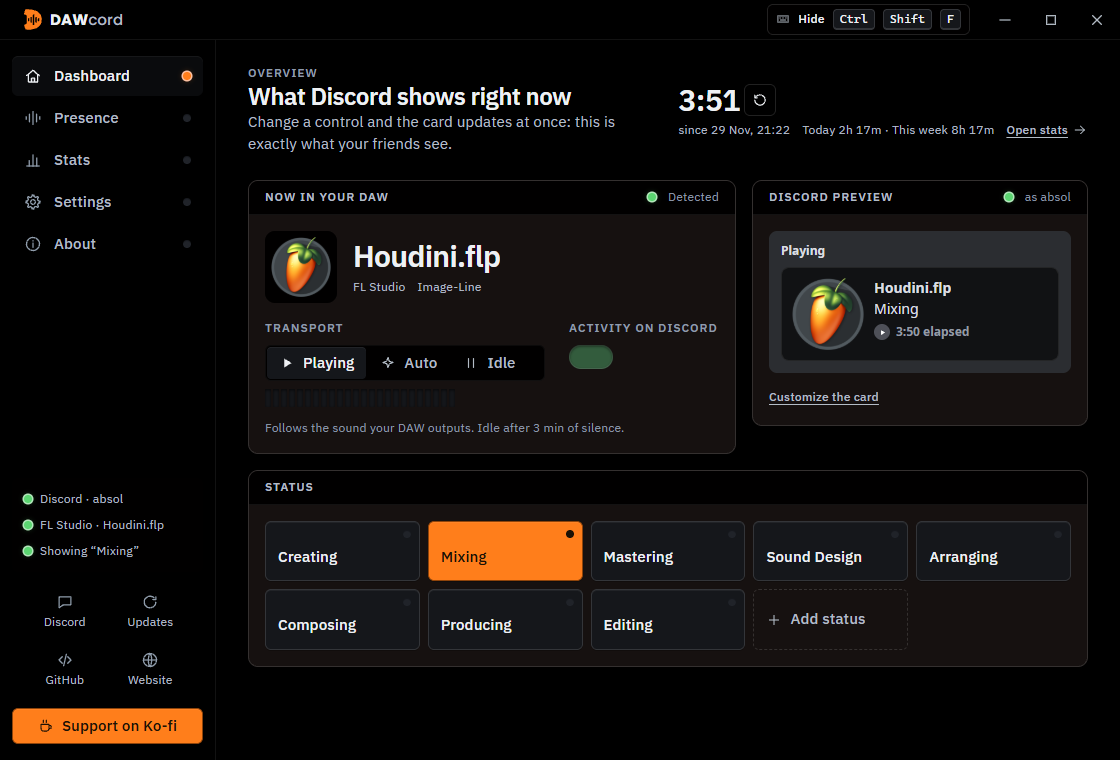
FL Studio, Ableton Live and Pro Tools are found on their own. When several are open, the one in front is shown.
Free · open source · Windows 10 and 11
DAWcord shows the project you're working on in FL Studio, Ableton Live or Pro Tools as Discord Rich Presence, and keeps track of your studio time. Nothing leaves your computer but what you choose to show.
Installer 3.4 MB · no administrator rights · signed updates · MIT licence
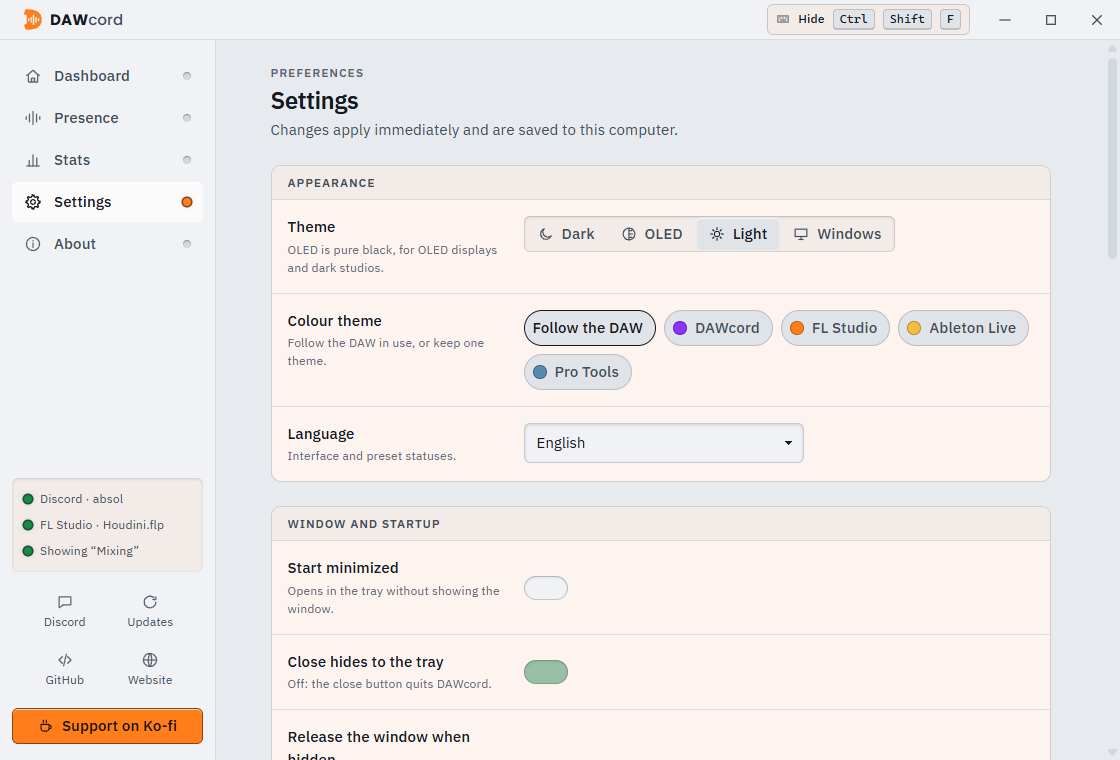
The interface takes the colours of the DAW you're in. Try it.
On your Discord profile
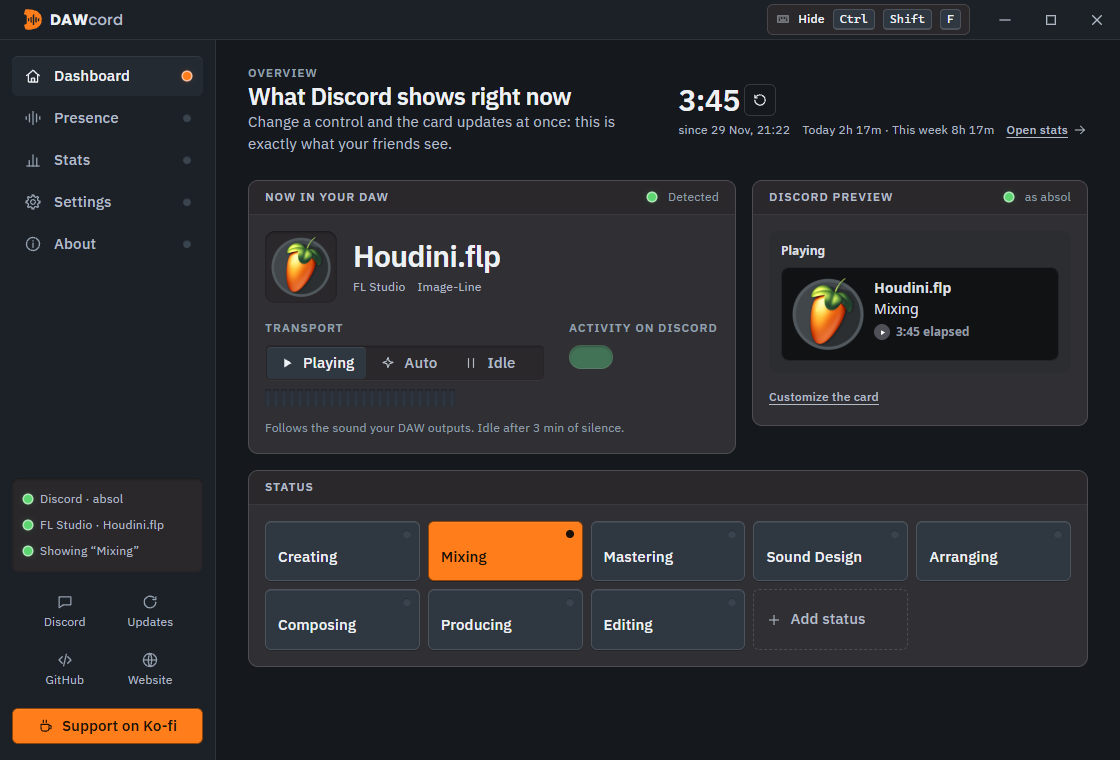
The project, your status, and how long you've been at it. The preview in the app is the card itself: what you see is exactly what they see.
{project}, {status} and {time}.
Features
A native Windows program, built to stay out of your way while you work.
FL Studio, Ableton Live and Pro Tools are found on their own. When several are open, the one in front is shown.

FL Studio orange, Ableton amber, Pro Tools steel blue. In dark, light or OLED, with more themes to come.

Follows the sound your DAW outputs and goes idle after a quiet spell, so the card is right without a click.

Eight statuses and three of your own, templates for both lines of the card, and up to two buttons.

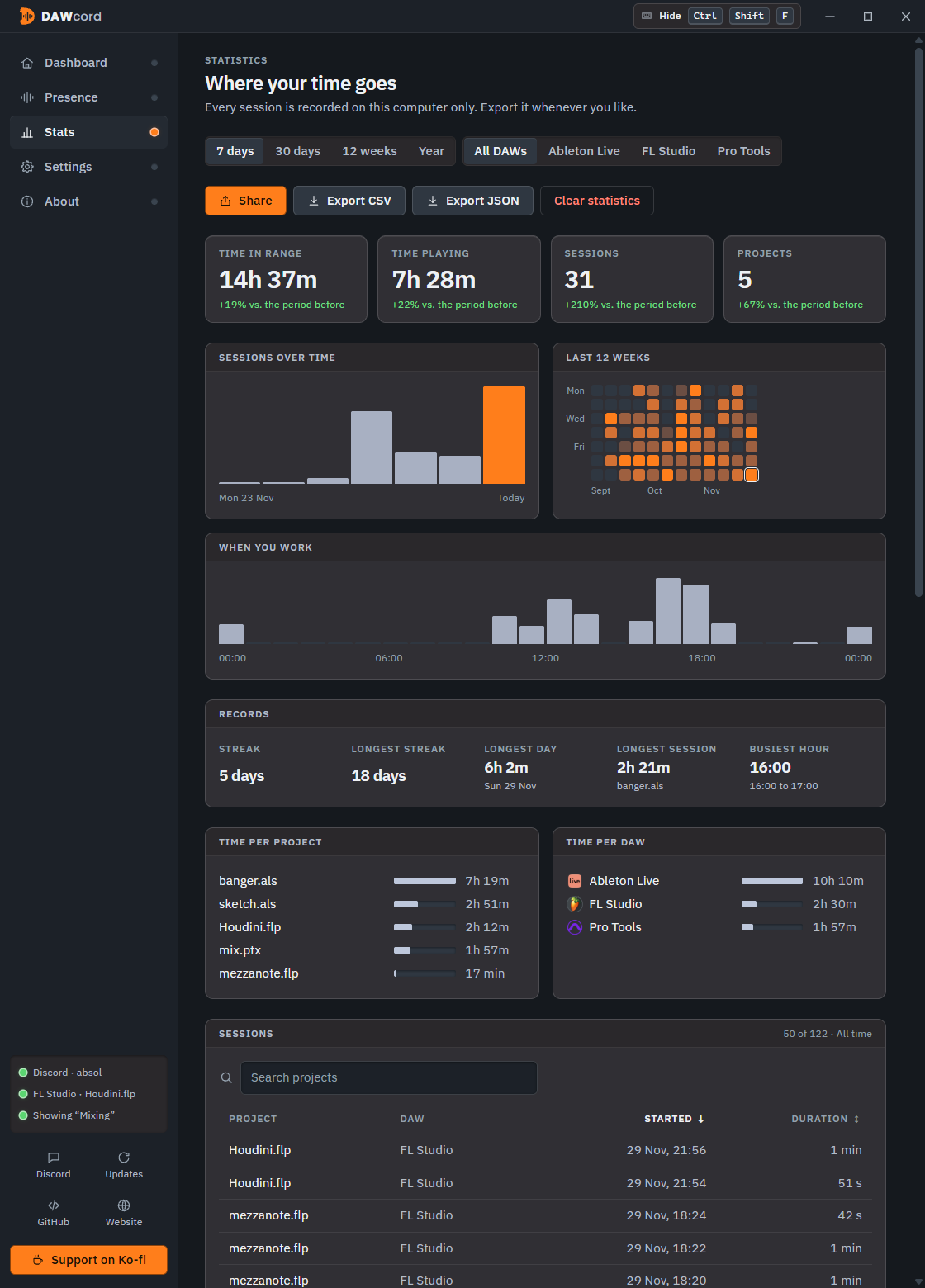
Time per project, DAW, day and week, with records, the hours you keep, and how this week compares to the last.

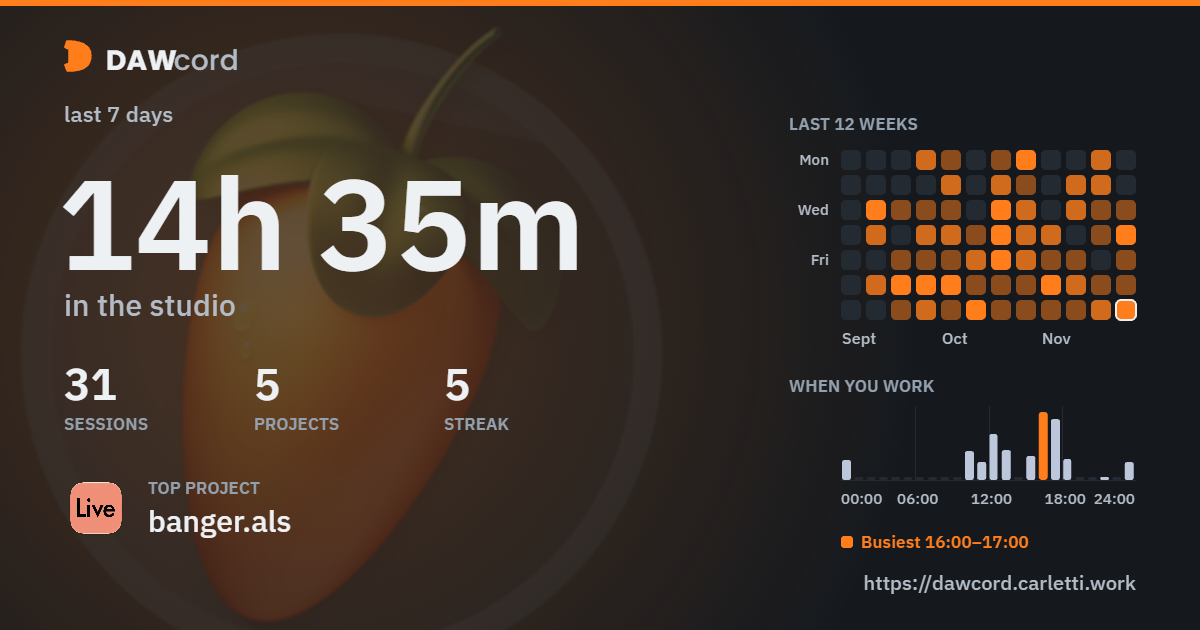
A card of your week in your DAW's colours, made on your computer, to save or copy wherever you like.

Close the window and it keeps running on 33 MB. It comes back with a click or a shortcut you choose.

From GitHub, Stable or Beta, with the release notes before anything is installed, and a way back.

Esc hides the window, Ctrl , opens Settings, Ctrl 1 to 5 switch pages.
DAWs
Each one brings its detection and its colours. Tell us which one is missing.
Statistics
Every session is written to a file on your computer, and nothing else. DAWcord turns it into something you can read at a glance.
Download

DAWcord_<version>_x64-setup.exe
3.4 MB. Installs for your Windows account, without administrator rights, and appears in the Start menu.

DAWcord_<version>_x64-portable.exe
8.1 MB. One file to put anywhere and run. No installer, no entries in the Start menu.
Questions
Only two things: the card, to the Discord app on your own computer, and a request to GitHub to look for updates, which you can switch off. There are no accounts, no analytics and no trackers. The privacy policy lists every file the app writes.
FL Studio, Ableton Live and Pro Tools today. DAWcord reads the project from the DAW's window title, so a DAW update that changes the title can break detection for that DAW until the next DAWcord release. The About page has a report you can paste into an issue.
No. DAWcord ships ready to use. If you want your own name and artwork on the card, create an application on the Discord Developer Portal and enter its client ID in Settings.
The program is not code-signed with an Authenticode certificate, so SmartScreen cannot vouch for it yet. Choose More info and Run anyway. Updates inside the app are signed separately, and checked before anything is installed.
DAWcord asks GitHub for a new release at launch and every four hours, on the Stable or the Beta channel. You see the release notes before anything is downloaded. The package is verified against a key built into the app. If an update does not work out, the app says so and offers to try again, and you can go back to an earlier version.
No. DAWcord is a Windows program, and depends on Windows' own audio metering for Auto mode.
Nothing. It is free and open source under the MIT licence. If it is useful to you, you can support the author on Ko-fi.